
Unlocking Your Potential with Web IDE's AI Assistant
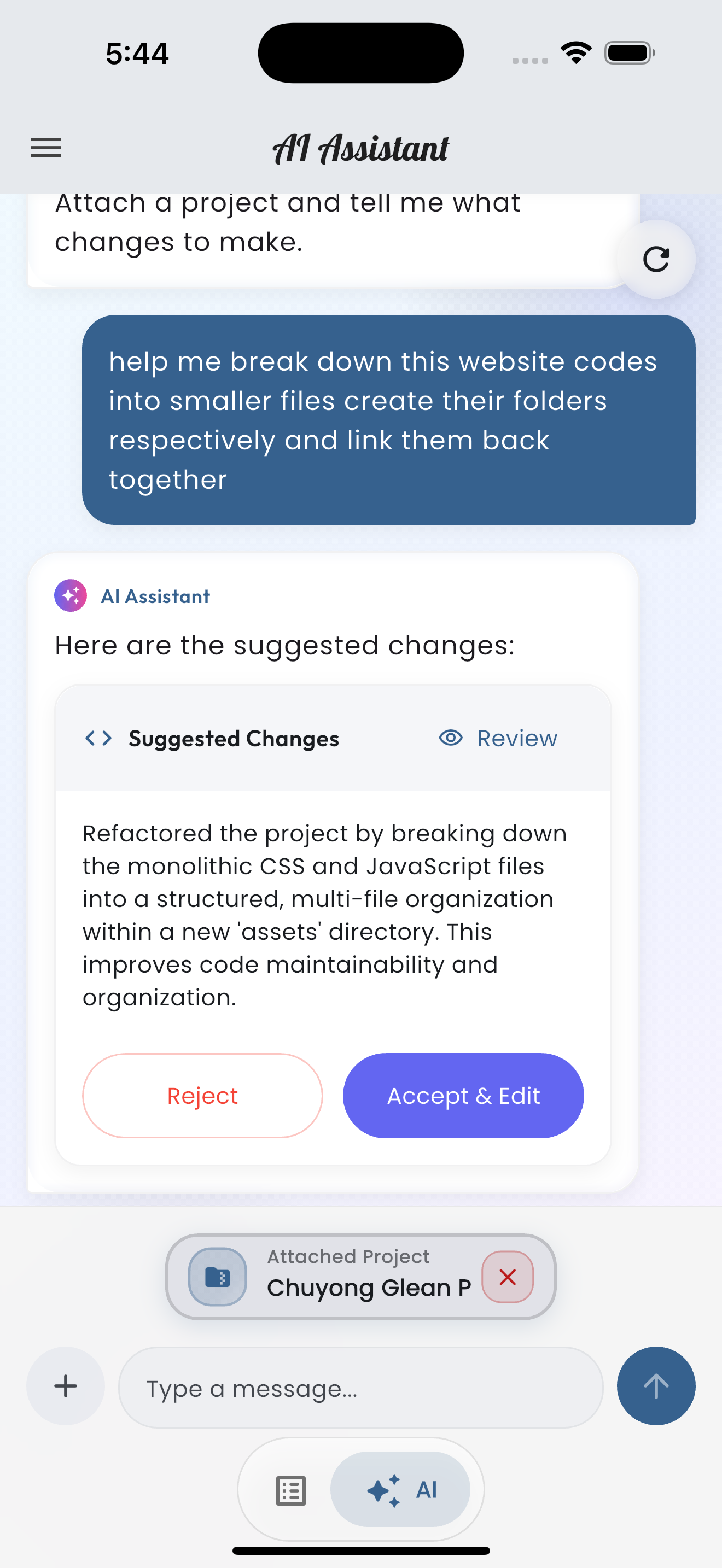
The Web IDE AI Assistant is more than just a code generator; it's your personal coding companion, built to understand your entire project context. Leverage its intelligence to speed up development and solve complex problems.
How to Interact with the AI
Access the AI by tapping the sparkle icon from the Home screen. You can attach your current project files, ensuring the AI has full context of your codebase. Describe your needs in natural language, whether it's for new features, bug fixes, or refactoring existing code.
Generate Code
Need a boilerplate component or a complex algorithm? Simply ask! For instance, "Create a responsive image gallery using CSS Grid" or "Write a Node.js function to handle user authentication."
// Example: Requesting a simple function
/*
AI: Generate a JavaScript function to validate an email address.
*/
function isValidEmail(email) {
    const emailRegex = /^[^\s@]+@[^\s@]+\.[^\s@]+$/;
    return emailRegex.test(email);
}
Debug and Refactor
Point the AI to a problematic section of your code and ask for help: "Why is this CSS not applying the correct margin?" or "Refactor this loop to improve performance." The AI can identify subtle errors and suggest efficient alternatives.
Learning and Explanation
For learners, the AI is an invaluable tutor. Highlight any code snippet and ask, "Explain what this JavaScript function does" or "Describe the purpose of this CSS property." It breaks down complex concepts into understandable explanations.