
Streamlining Deployment with the New Terminal
Reimagining the command line experience for mobile devices to bridge the gap between complex Git operations and mobile-first usability.
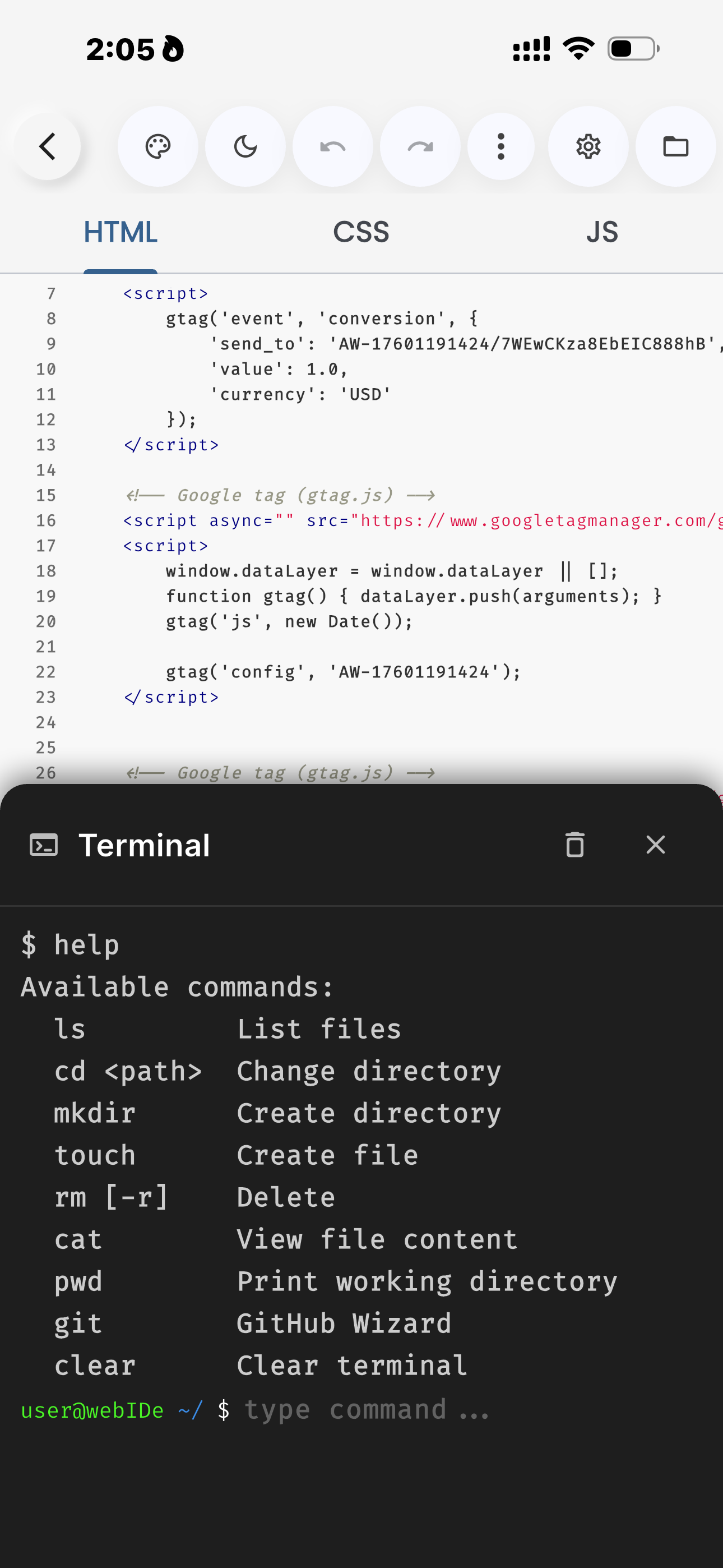
The command line can be intimidating on mobile, but it remains an essential tool for modern web development. With the latest update to Web IDE, we've focused on making the terminal more accessible without sacrificing power.
The Intelligent Git Wizard
Gone are the days of manually typing long chains of Git commands on a virtual keyboard. We've introduced a smart Git Wizard that actively assists you when you're ready to deploy.
Simply type git push in the terminal, and the IDE takes over. If you haven't configured your remote repository yet, the wizard guides you through the entire lifecycle via an intuitive interface:
- Initialization: The wizard automatically checks if a local Git repository exists. If not, it initializes one with appropriate
.gitignoredefaults. - Staging: No need to
git add .manually. The system identifies your changes and prepares them for commit. - Committing: You'll be prompted for a commit message. We've even added smart suggestions based on your recent file changes.
- Pushing: Securely uploads your code to the designated GitHub branch using encrypted credentials.
Security First: Access Tokens
Security is paramount in modern development. GitHub has deprecated password authentication in favor of more secure methods. Web IDE fully supports Personal Access Tokens (Classic) to keep your workflow secure.
When prompted for a password in the terminal, you must use your GitHub Personal Access Token. Standard account passwords will result in an authentication failure due to GitHub's API security policies.
You can generate a token in your GitHub Developer Settings. For the best experience, ensure you check the repo scope to allow Web IDE to write to your repositories and manage branches.
Seamless Deployment to GitHub Pages
The ultimate goal of many web projects is to be seen. The new terminal integration makes enabling GitHub Pages seamless. Once your push is successful, follow these steps to go live:
- Open your repository settings on the GitHub website.
- Navigate to the Pages tab in the sidebar.
- Select your deployment branch (typically
main) as the source. - Click Save. Your site will be live on the web within minutes!
Why use the CLI on Mobile?
While GUI buttons are convenient, the terminal offers unparalleled precision. You can see exactly what files are being staged and catch errors before they leave your device. It's professional-grade control, optimized for touch-based interaction.